Admin
Portal
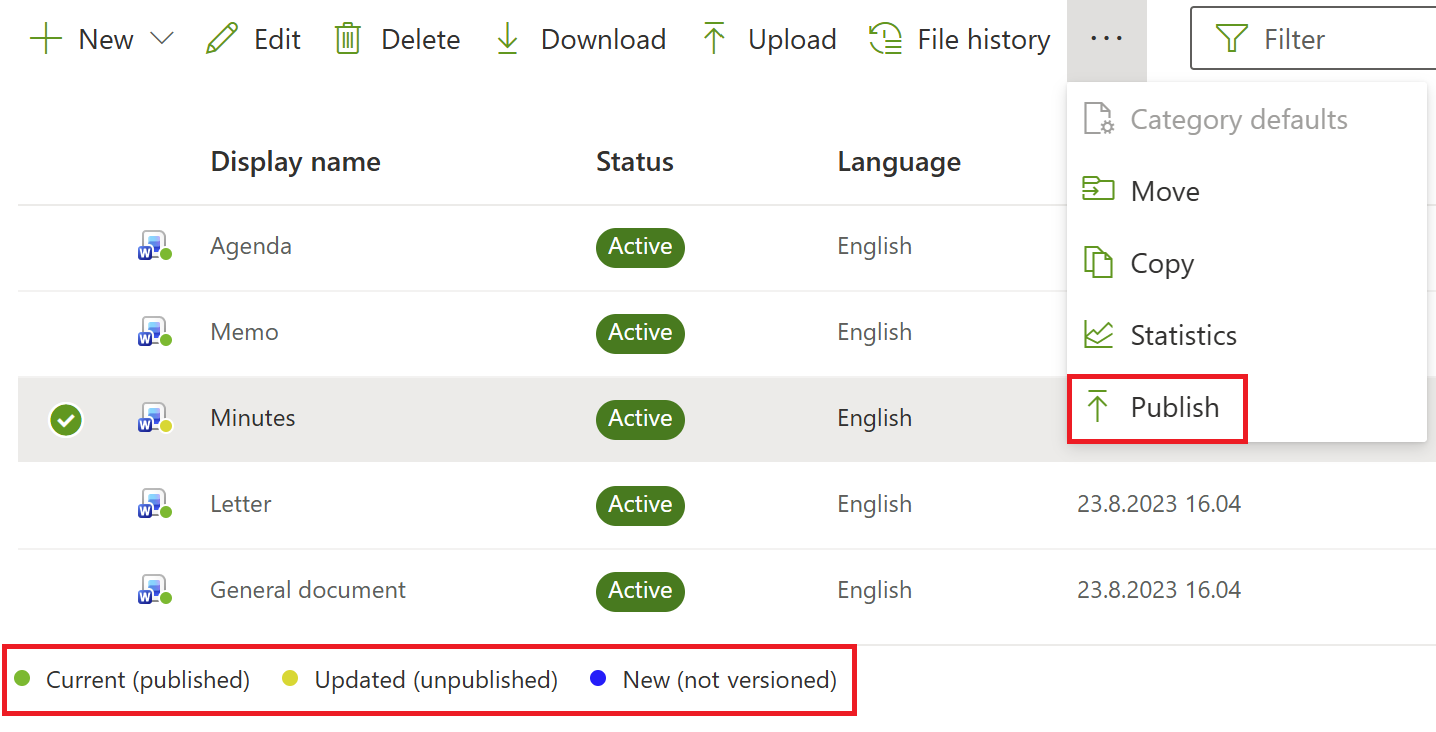
Publish status and quick publish
We’ve updated the portal interface to provide better visibility into item publish state. A "Publish" action is now available directly within the portal UI for any item in an unpublished state.
Publish status visibility and quick publish is available for
-
Document templates
-
Phrases
-
Slide sets
-
Images
-
Attachments
-
Layout templates
-
Logos
-
Word footers
The Quick Publish functionality is exclusively available for items that have already undergone an initial successful publication; please note that this feature is currently limited to deploying file changes only.
Layout template metagroups
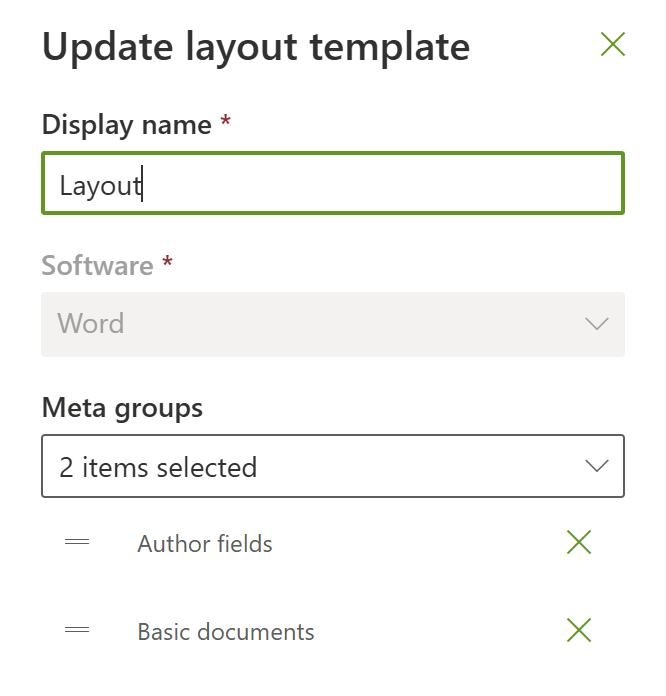
We have added the ability to assign meta groups to layout templates. When you assign a meta group to a layout template, the associated fields are automatically inherited by all connected document templates.
Any fields defined via a meta group on a layout template will automatically appear as the first fields in the associated document.
List management improvements
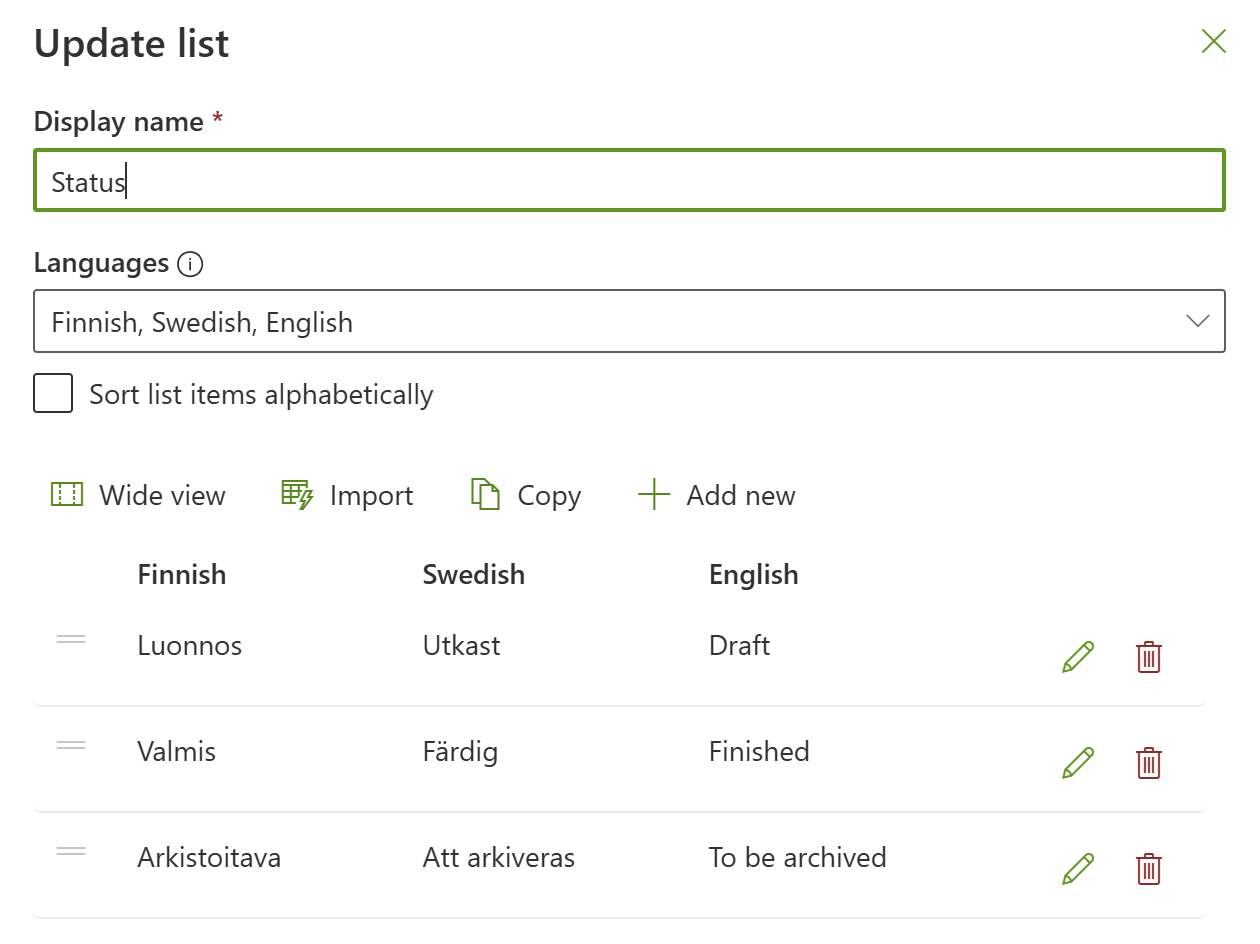
We have improved list management in portal, providing more flexibility and control over how you organize and move your data.
-
Drag-and-Drop Reordering: You can now manually adjust the order of list items using a simple drag-and-drop interface.
-
Item Descriptions: List items now support a Description field.
-
Import/Export Capability: To streamline bulk updates and data migration, you can now import and export (copy) list items.
-
Wide view: You can now change list view between Wide view and Compact view.