The Model Context Protocol (MCP) connects Kameleon directly to conversational AI assistants like Copilot, ChatGPT and Claude. Kameleon's MCP server is available cloud at https://api.kameleon.app/mcp. Instead of switching between apps, users can simply ask AI to find company templates and create on-brand content — all secured by your organization's Microsoft Entra ID permissions and tenant boundaries.
Getting started
Claude
-
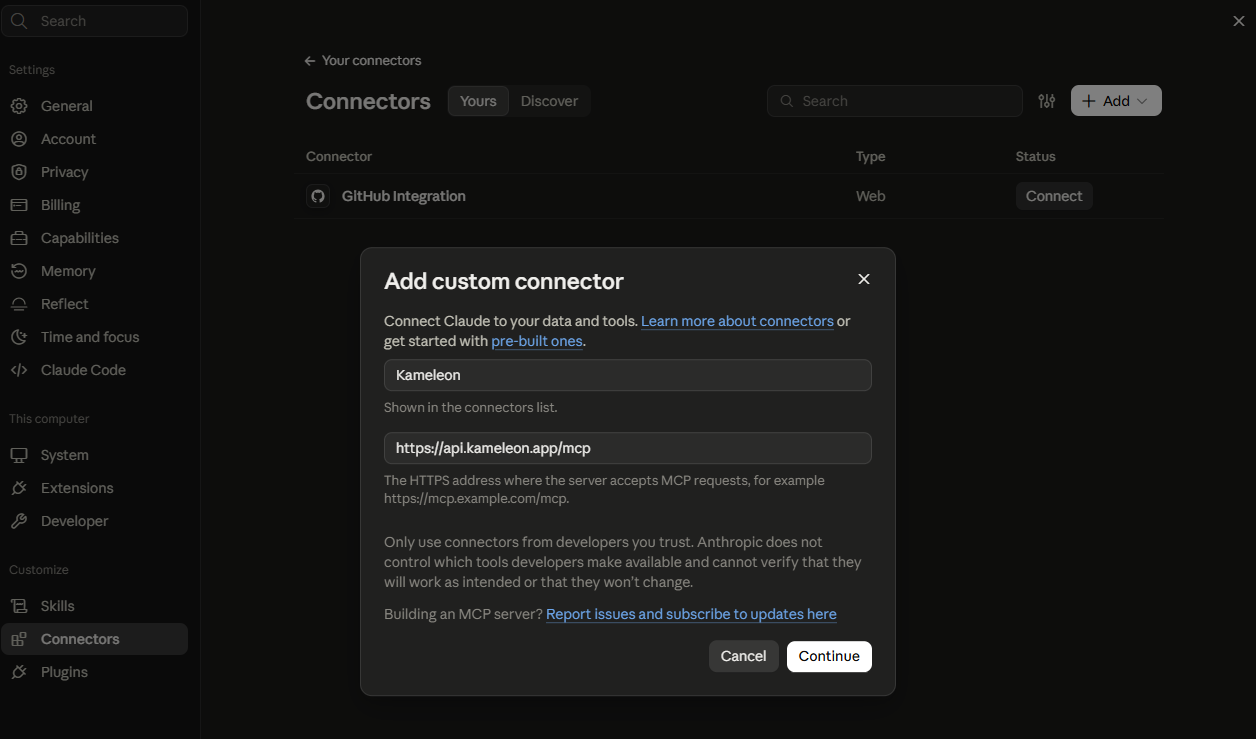
In Claude, go to Settings > Connectors
-
Add tool
-
Add a new connector with:
-
Name: Kameleon
-
-
Sign in with your work account when prompted to authorize access.
ChatGPT
-
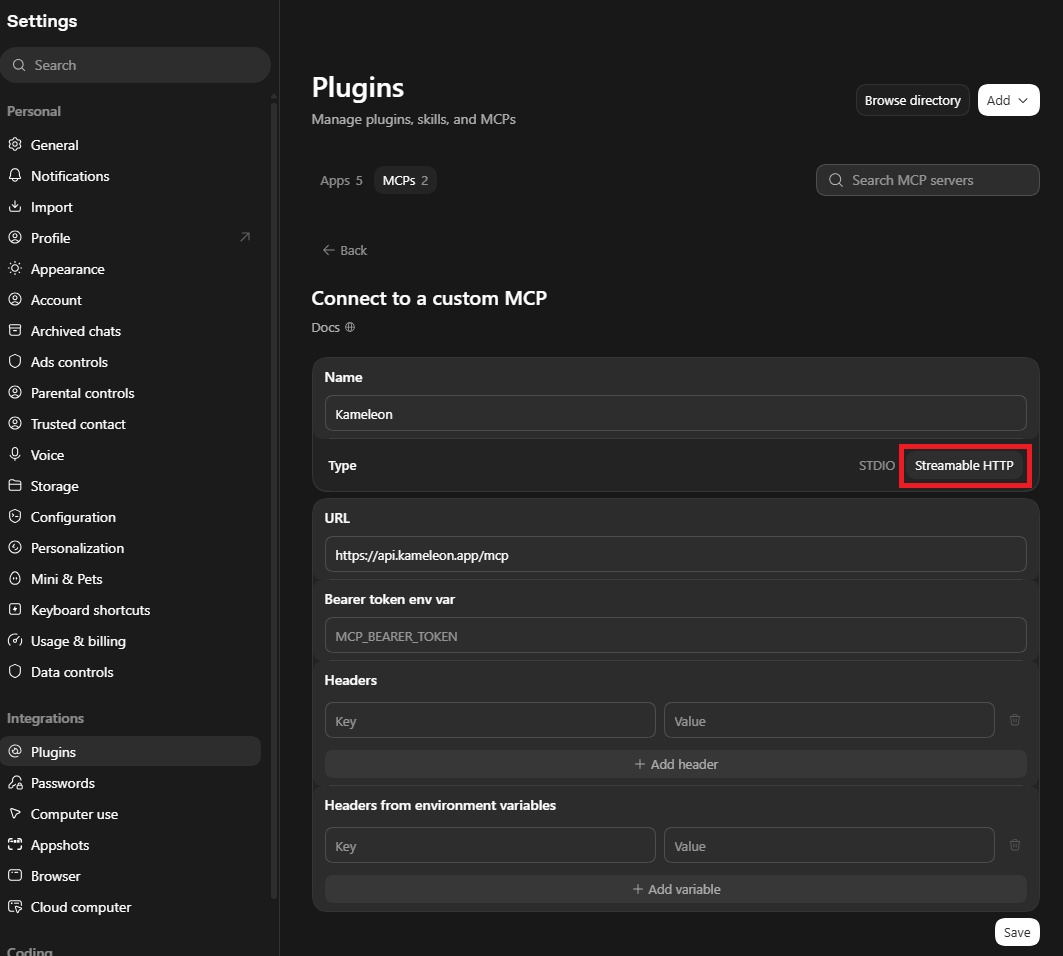
In ChatGPT, open Settings > Plugins
-
Click Add > Add MCP server and enter:
-
Name: Kameleon
-
Type: Streamable HTTP
-
-
Complete the Microsoft login to grant permissions.