Office and Teams facelift
Word, Excel, PowerPoint and Outlook
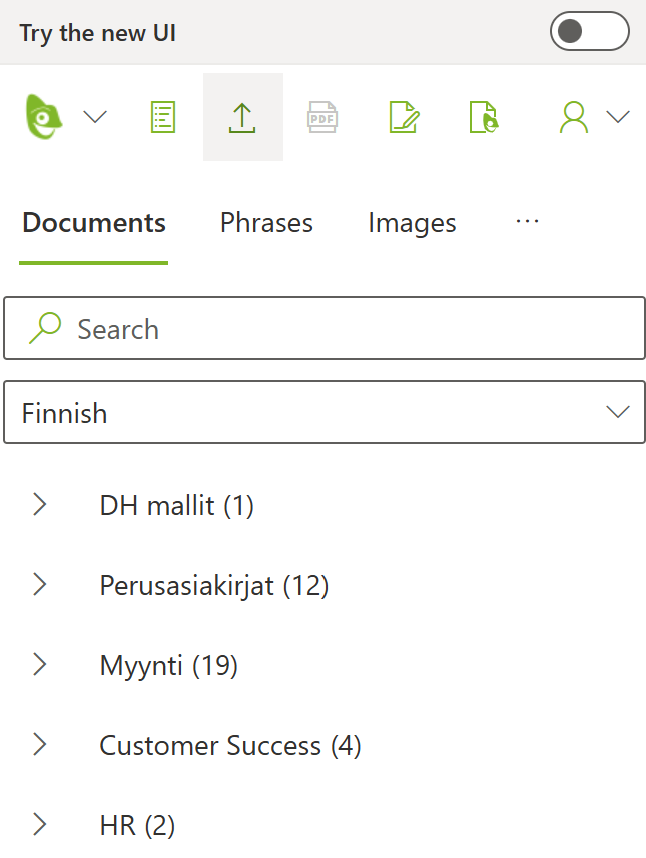
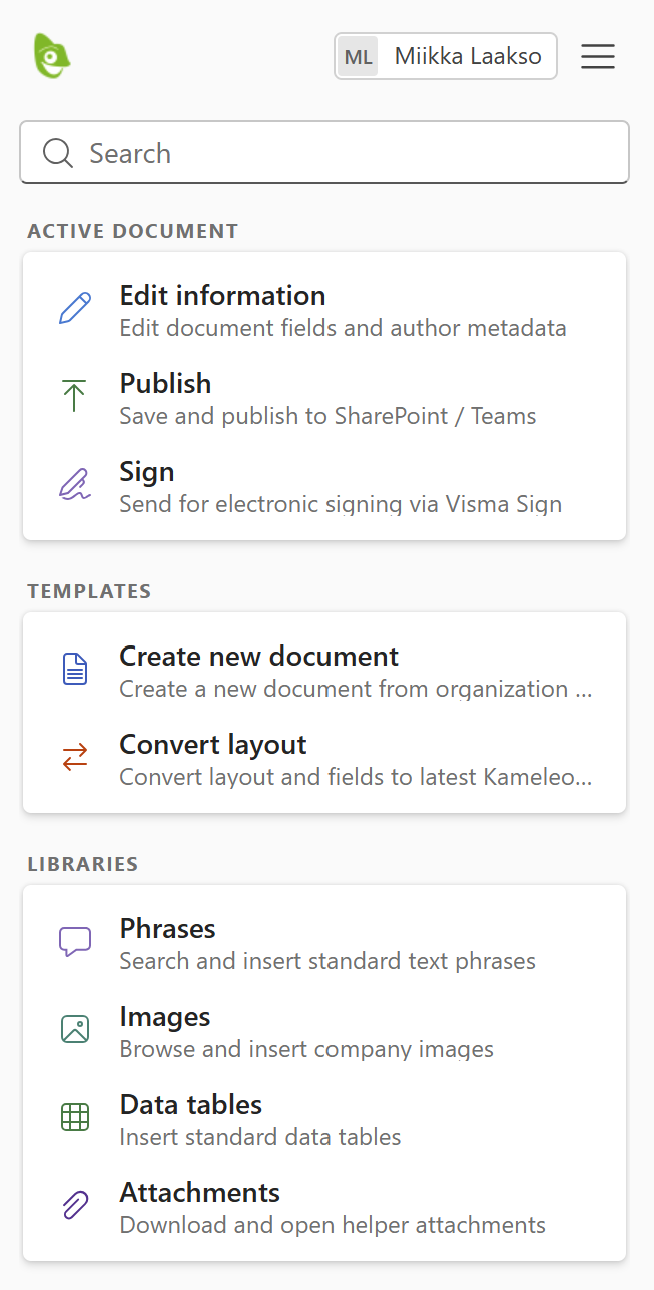
We are rolling out a redesigned user interface that brings clarity and structure to the Word, Excel, PowerPoint and Outlook taskpanes. While the existing tab- and icon-based interface remains active by default, you can try the new layout at any time using the Try the new UI toggle at the top of the pane.
What’s New
-
Clear Card-Based Organization: Replaced icon-only toolbar buttons and horizontal tabs with clearly defined sections for Active Document, Templates and Libraries.
-
Descriptive Actions: Every tool—such as editing metadata, publishing to SharePoint/Teams, and digital signing—now features explicit titles and helper descriptions so you know exactly what each action does at a glance.
-
Unified Search & Direct Browsing: Use the prominent global search at the top to instantly find templates, phrases, or media across your entire workspace, or jump straight into dedicated sections like Phrases, Images, Data tables, and Attachments to browse item-by-item.
-
Try at Your Own Pace: Switch to the new design using the top toggle whenever you want, with the ability to switch back to the classic layout at any time.
You can switch back to the classic UI anytime from the top-right menu (☰)
Teams
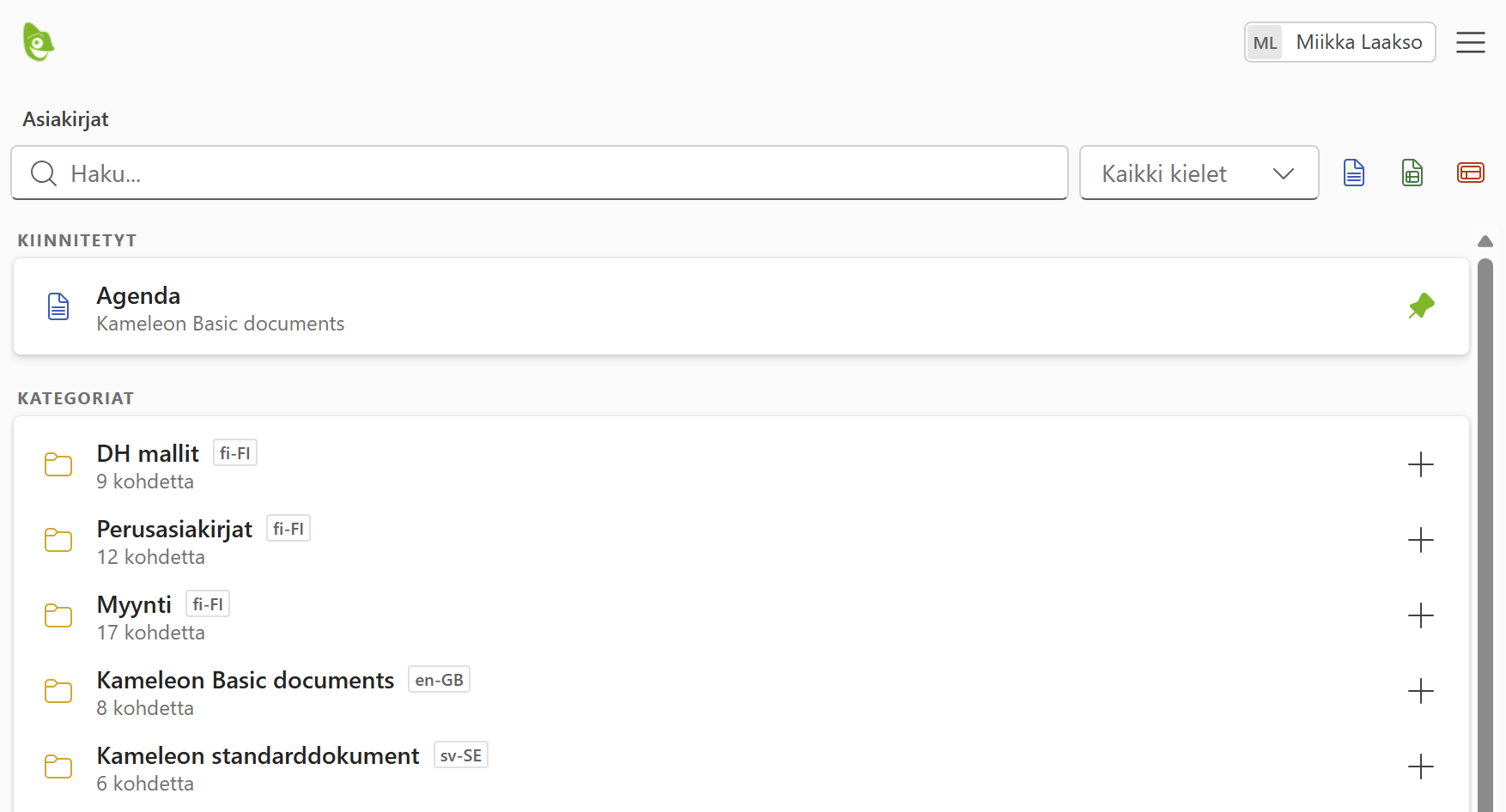
The Teams app has been updated directly to the new modern design. Since Teams focuses strictly on document and template browsing, the core layout remains familiar, enhanced with subtle visual refinements.
Outlook singature improvements
We have expanded Outlook signature capabilities to give administrators and users greater flexibility, styling control, and visibility:
-
Reply & forward signatures: Set distinct, simplified signatures specifically for reply and forwarded emails to keep conversation threads tidy.
-
Multilingual signatures: Configure and select signatures tailored to specific languages.
-
Rich styling & links: The signature editor now supports custom font colors and hyperlinks, allowing for more on-brand layouts.
-
Term placeholders: Easily inject standard company terms, disclaimers, or legal notices using dedicated placeholders.
-
Usage statistics in Hub: Track signature deployments and activity directly within the Kameleon Hub.
Dynamic author and company fields
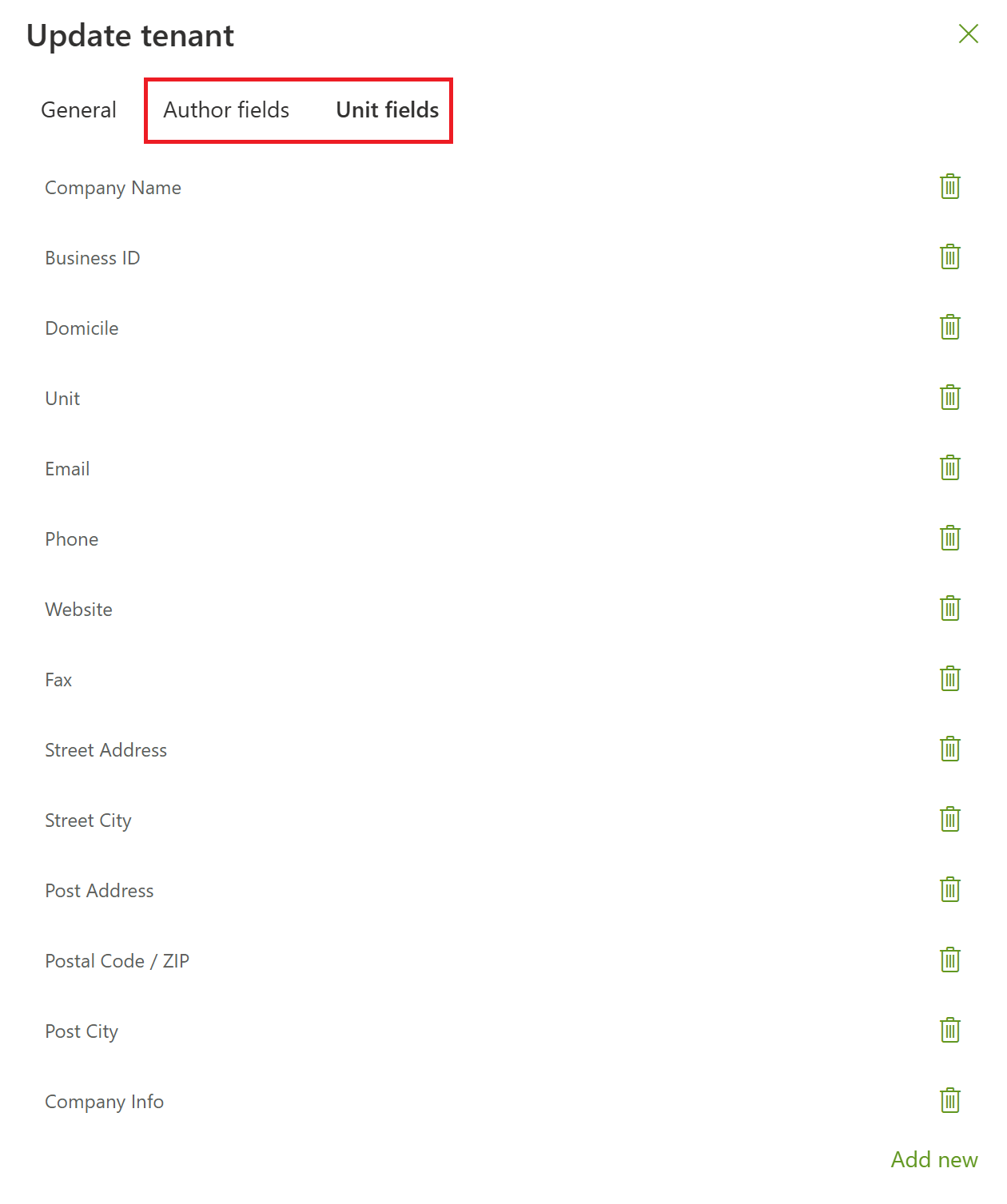
Author and company unit metadata are no longer restricted to a fixed set of predefined fields. Organizations can now configure custom, dynamic metadata fields to fit their specific requirements—such as adding a LinkedIn profile URL to authors or tracking custom department codes. These custom fields can be seamlessly referenced across your document templates and Outlook email signatures.
In the Hub, click your profile in the bottom-left corner and select your organization name (e.g., Document House Oy) from the popup menu to configure your custom fields.