
This release improves Outlook email signature setup and editing, modernizes portal statistics, makes image gallery assets easier to share, and adds MCP author management.
Email signature improvements
Create, target, and deploy consistent Outlook email signatures faster with new placeholders, group visibility controls, and an upgraded HTML editor
-
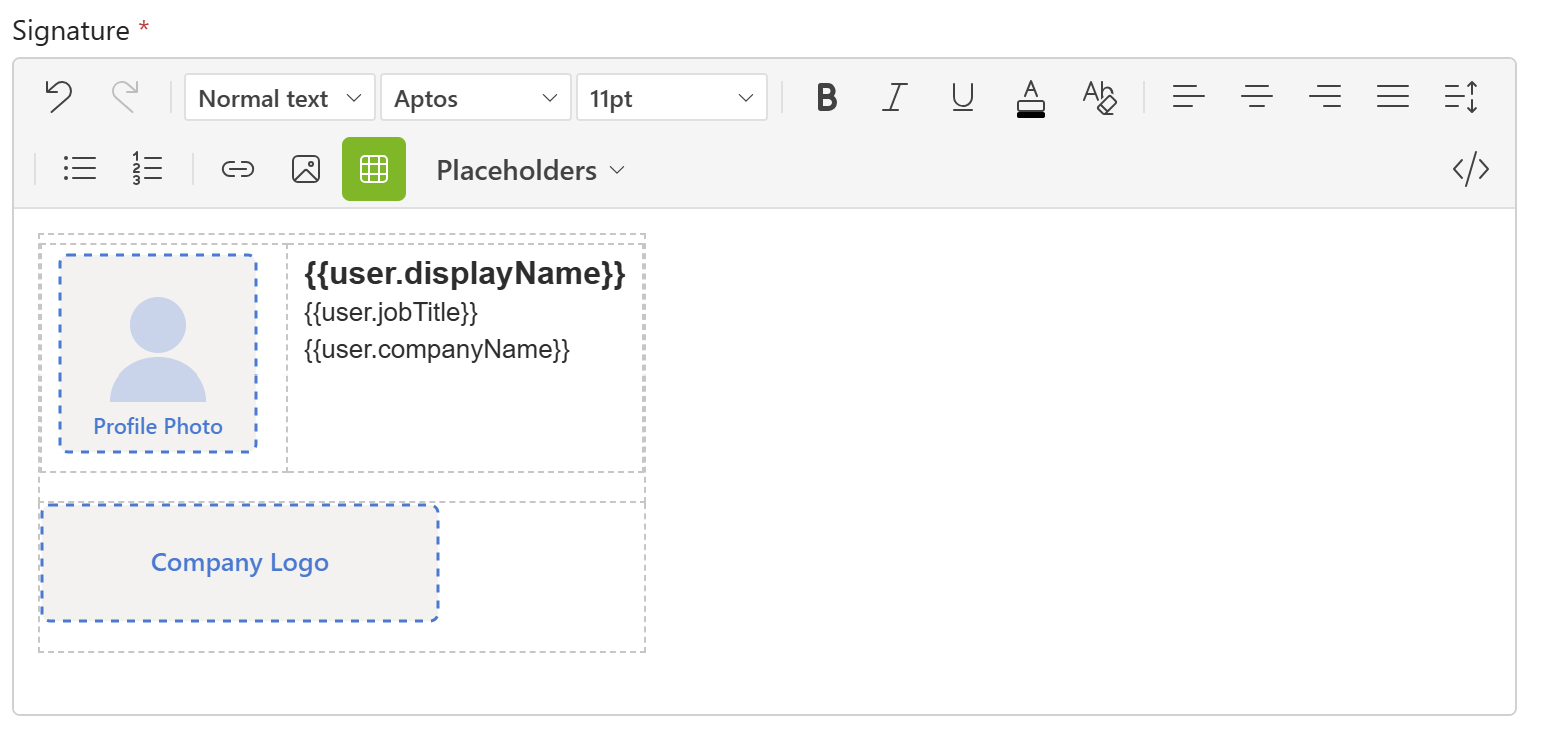
Microsoft Entra user placeholders. Build signatures using Kameleon author fields or Microsoft Entra user placeholders, including profile pictures.
-
Company logo placeholder. Add your company logo to email signatures using a dedicated placeholder.
-
Target signatures by group and visibility. Configure unit- or group-specific signatures and control which signatures appear in the Outlook task pane, using Kameleon user groups.
-
Create and edit signatures more easily. The portal editor supports rich HTML editing, formatted HTML source, undo, and clearer controls that reflect the selected text’s formatting.
-
Use table-based signatures. Add signatures as tables to better preserve their layout in Outlook.
Using Microsoft Entra fields lets administrators populate signatures from Entra user data without onboarding those users as Kameleon authors.
Statistics
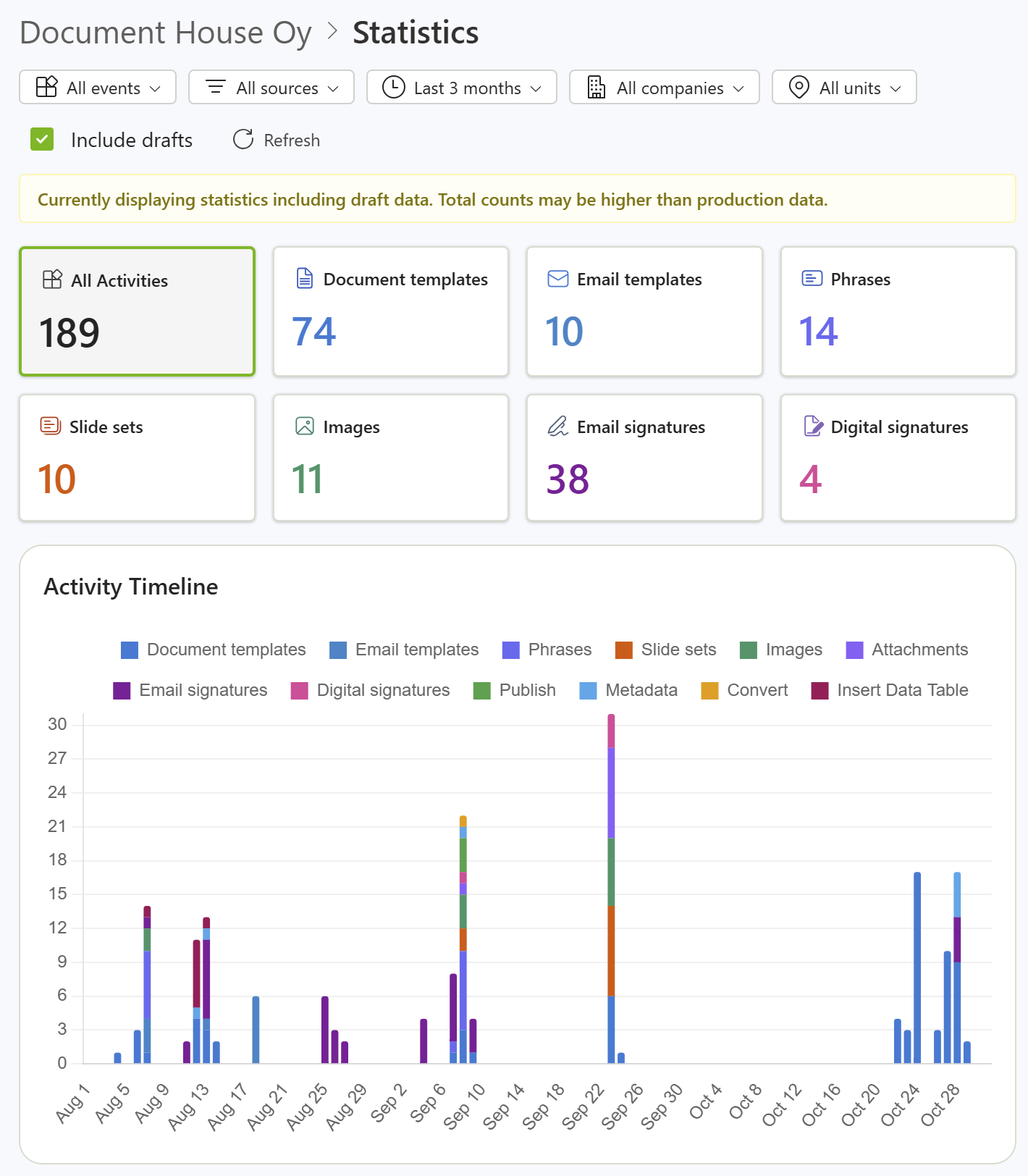
The modernized statistics page brings information into a single view and adds an activity feed to help administrators keep track of recent events.
Activity feed
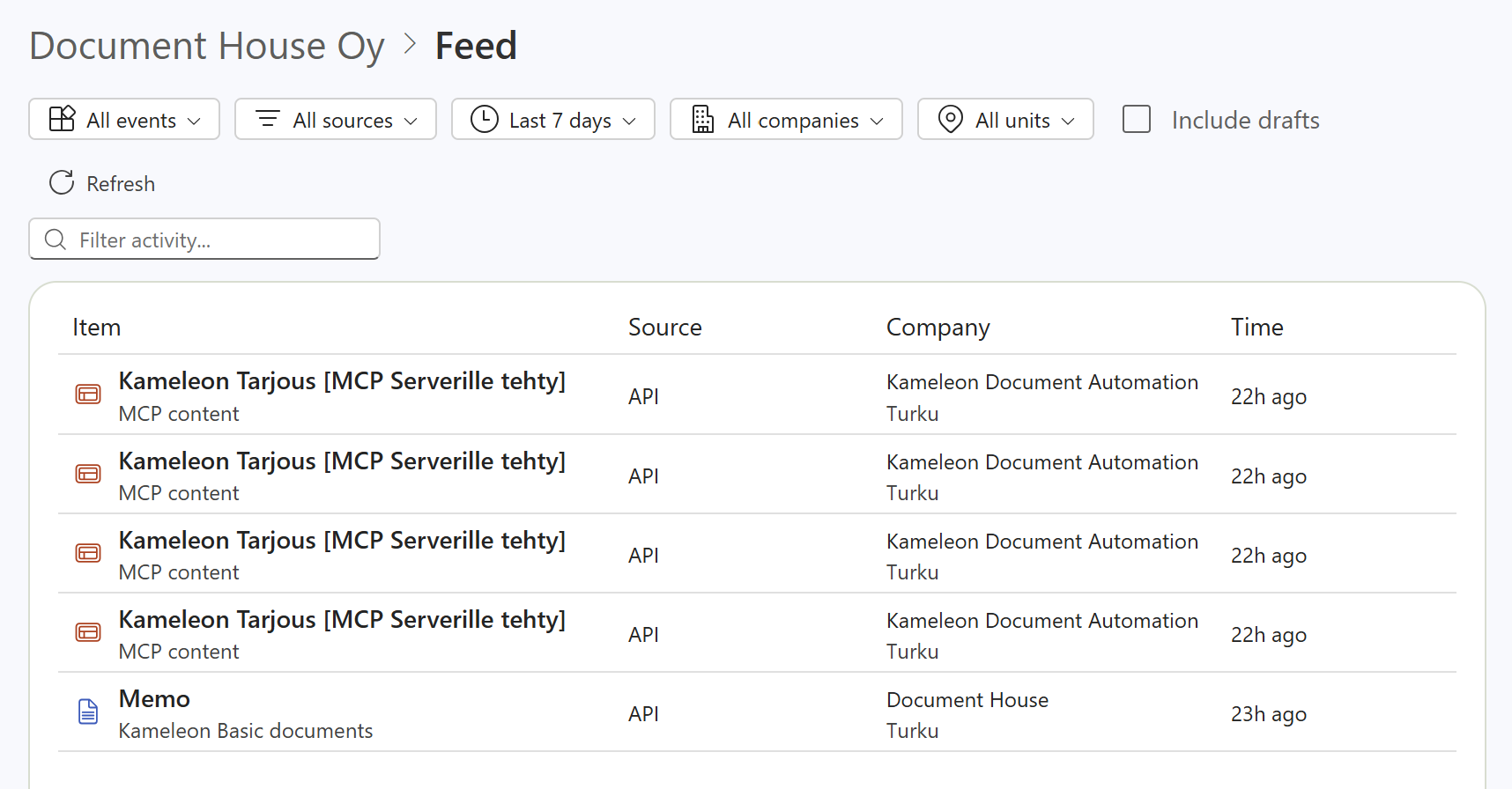
The feed helps administrators see what's happening in Kameleon and review recent activity.
Other improvements
-
Use public image URLs. Image gallery images can be accessed by public URL for use in scenarios such as CV and reference data sources.
-
MCP improvements. MCP clients can now create Kameleon author records and activate them.